Litejam API Showcases EP.1 : Brian Wang – Improvisation Visualizer

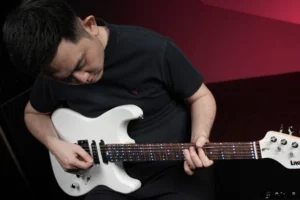
🎸 Litejam Showcase: Brian Wang Builds His Own App with Litejam’s Open API At Litejam, our mission is simple: give every guitarist a smarter way to learn, play, and create. With our RGB fretboard and companion app, you already have powerful tools at your fingertips — but what happens when you open Litejam up to the world? Meet Brian Wang, a music developer from Taiwan, who’s been experimenting with our Open API to create his own custom app connected directly to the Litejam RGB fretboard. 💡 Beyond Chords & Scales Brian wasn’t looking for just another chord chart or scale trainer. As he explained: “I am not doing things for me to actually play songs in the ‘accurate’ way as the score. It’s more for improvisation.” Brian Wang Instead of following rigid notation, Brian used the API to light up the fretboard in ways that match his creative approach — highlighting chord tones across the entire neck, and giving him a full picture of what he can play over. 🎶 Visualizing Improvisation Using the Litejam API, Brian’s custom app lets him: Visualize chord notes over scales → see all options available on the neck. Experiment with improvisation → explore how different notes sound over backing tracks. Customize the fretboard display → focus on the patterns that matter most to him. As he put it: “On this stuff I can experiment — I can visualize myself.” Brian Wang 💡 From Chords to Lights https://blog.litejam.com/wp-content/uploads/2025/09/Litejam-Show-Case-1-Chordify-.mp4 With his custom app, Brian used Litejam’s API to take the chords generated by Chordify and map them directly onto the RGB fretboard. This means: Any song analyzed in Chordify → instantly lights up on Litejam. Chords appear in real time on the neck. Makes it easier to play along with your favorite tracks. 🚀 Why This Matters for the Community Brian’s showcase is just the beginning. With the $750K Stretch Goal: Free API for Creators, every backer will get lifetime access to Litejam’s developer tools. That means: Developers can build new apps, plugins, and games. Educators can integrate Litejam into classrooms. Musicians can design unique visualizations for practice and performance. The community can share and expand what Litejam can do. 🌍 The Future Is Open Brian’s project is proof of what’s possible when we open Litejam up to the world. Imagine hundreds of developers and musicians, each building their own creative tools — from interactive lessons to improvisation trainers to full-on performance visualizers. That’s the future we want to unlock with you. 👉 Help us reach $750,000 and open Litejam to all creators. Back the campaign today and be part of the future of smart guitar learning. Follow Brian’s Channel Youtube Instagram

자세히보기»
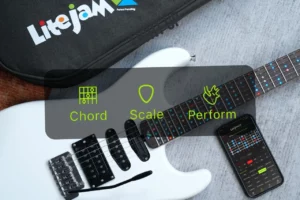
Litejam LED fretboard guitar showing chord, scale, and perform modes for visual learning

News & Updates – EP.02 | Chord Mode, Scale Mode, Perform Mode – Litejam’s Core Visual Learning Tools

Discover how Litejam helps guitarists see chords, learn scales, and light up performances — right from the fretboard. For decades, guitarists have learned through chord charts, scale diagrams, and hours of repetitive practice. But even the most dedicated players hit the same wall: 🎵 Memorizing shapes is hard.🎼 Understanding theory is harder.🎯 And connecting it all on the fretboard? That’s the hardest part. That’s exactly why we created Litejam — the first smart electric guitar built for visual learners. It’s designed to light up your fretboard in real-time with chords, scales, and sound-reactive visuals to help you learn faster and play better. Here are the 3 core modes every guitarist should know. 🎯 1. Chord Mode — Learn Chords Visually, Not Just By Shape Whether you’re learning your first open chord or exploring jazz extensions, Litejam’s Chord Mode shows you the full picture — finger placement, chord form, and interval structure — using real-time LED lighting on the fretboard. Key Features for Guitarists: 50+ chord types (maj, min, 7th, sus, dim, add9, etc.) Multiple positions and inversions across the neck Color-coded LED lights for fretting and finger guidance Custom chord builder to save your own shapes Why it matters:Most guitar learners memorize chord charts without truly understanding why chords are built the way they are. Chord Mode teaches you visually — so you can recognize forms and transitions faster. Explore 50+ Chords with Fingering That Lights Up – in Every Position Across the Neck No more flipping through books or guessing shapes. Litejam shows you every chord you need, right on your fretboard Design Your Own Chords — and Light Them Up Instantly Whether you’re exploring unique voicings or building your own shapes, Litejam’s Custom Chord feature lets you create, save, and visualize any chord across the neck — with just a tap. 🎼 2. Scale Mode — Visualize and Improvise in Any Key If chords are your rhythm foundation, scales are your creative playground. But let’s be honest — scale diagrams can be confusing, and playing them musically is even harder. That’s where Litejam’s Scale Mode shines. 💡 Full LED Visualization – Instantly see root notes (🔴 Red) and scale tones (🔵 Blue) across the fretboard ✅ Key Features: Supports major, minor, pentatonic, blues, and modal scales Instantly lights up the entire scale across all positions Shows “in-key” notes for improvisation in any key Includes Chromatic Scale Practice Mode for speed and dexterity Why it matters:With Litejam, you can finally understand scales not as random patterns — but as fluid, connected maps across the entire neck. Improvising becomes intuitive when you can see the music.   🎯 Master Every Scale, Instantly Visualize any scale across the entire neck — major, minor, modes, and more — all lit up in real time. Litejam’s Scale Mode helps you see the full picture of every scale, in any key, across the fretboard. No guesswork. Just pure, playable patterns. 🎸 Select Any String to Practice Licks with Precision Use String Control to isolate specific strings — perfect for practicing licks, arpeggios, or scale runs with focus. Customize your fretboard view and zoom in on your weak spots. Litejam helps you turn precision practice into confident play. 🎯 Target the Strings You Want to Master Use String Control to isolate specific strings — perfect for practicing licks, arpeggios, or scale runs with focus. Customize your fretboard view and zoom in on your weak spots. Litejam helps you turn precision practice into confident play. 🎯 Master the Fundamentals with Chromatic Loop Mode Train your fingers with time-tested drills like 1-2-3-4, 4-3-2-1, and 1-3-2-4 — guided by visual frets and a built-in metronome to lock in your timing. 🎵 3. Perform Mode — Make Your Guitar Part of the Show What if your guitar reacted to your playing — visually? Perform Mode brings a whole new experience to stage, content, and practice. It syncs dynamic LED animations to your playing, transforming your fretboard into a visual instrument. ✅ Key Features: Animated LED effects that respond to your sound Performance presets for live shows, recording, or jamming Built-in Chromatic Trainer to improve accuracy and finger speed Make practice feel like performance — with instant feedback Why it matters:Most tools focus on how to play. Perform Mode focuses on how it feels. It’s made for creators, streamers, live performers, and guitarists who want to connect visually. 🎸 Perform Mode: Light Up Your Style Choose your visual vibe — Flow, Slide, or Sync — and set your colors to match your energy on stage or in the studio. 🎨 Pick the Color That Moves You Customize your LED flow to match your style — choose from full-spectrum colors and create a stage-ready vibe that’s uniquely yours. 🔥 A Smarter Guitar for the Modern Guitarist Litejam is more than a guitar with lights — it’s a guitar with purpose. From chord memorization to soloing in unfamiliar keys, to standing out on stage — Litejam gives you a visual advantage that helps every guitarist grow faster.   🎯 Litejam Launches Soon on Kickstarter ✅ Reserve for just $1💸 Save up to $180 on launch day🔒 Secure early-bird access + exclusive bonuses 👉 Click here to reserve now Get Litejam Guitar Tips Weekly * indicates required Email Address *What is your guitar experience level? Beginner Intermediate Pro or advanced Guitar teacher/educator Parent buying for a child


자세히보기»

News & Updates – EP.00 | The Story Behind Litejam – Why We Make Litejam !

Who I Am ? I imagined a guitar that could teach me visually — one that would light the path to learning and playing freely. That’s why I created Litejam. Bank Apisak , Founder of Litejam Hi, I’m Bank Apisak , founder of Litejam. I started learning guitar back in high school. At first, I just wanted to learn a few chords so I could sing and play with friends — nothing fancy. I picked up a basic guitar book and started from there. Later, I decided to take formal lessons at a local music school. But on my very first day, the teacher had me play chromatic scales, over and over again — without any explanation. I remember feeling totally confused. “Why am I doing this? I didn’t sign up to play exercises — I just want to play chord songs and sing!” But that was only the beginning. Right after that, my teacher gave me an incredibly hard piece to learn — “Manhattan” by Eric Johnson. I had no idea what I was playing The chord shapes were strange, the picking patterns were difficult, and the whole thing felt way beyond what I could understand at the time. It wasn’t what I expected at all.But something surprising happened. Over time, I began to enjoy it. The more I practiced, the more I fell in love with soloing,phrasing and melody playing — not just rhythm chords. That early confusion and frustration actually laid the foundation for what became my passion: lead guitar and improvisation. Who Am I ? I imagined a guitar that could teach me visually — one that would light the path to learning and playing freely. That’s why I created Litejam. Bank Apisak , Founder of Litejam Hi, I’m Bank Apisak , founder of Litejam. I started learning guitar back in high school. At first, I just wanted to learn a few chords so I could sing and play with friends — nothing fancy. I picked up a basic guitar book and started from there. Later, I decided to take formal lessons at a local music school. But on my very first day, the teacher had me play chromatic scales, over and over again — without any explanation. I remember feeling totally confused. “Why am I doing this? I didn’t sign up to play exercises — I just want to play chord songs and sing!” But that was only the beginning. Right after that, my teacher gave me an incredibly hard piece to learn — “Manhattan” by Eric Johnson. I had no idea what I was playing The chord shapes were strange, the picking patterns were difficult, and the whole thing felt way beyond what I could understand at the time. It wasn’t what I expected at all.But something surprising happened. Over time, I began to enjoy it. The more I practiced, the more I fell in love with soloing,phrasing and melody playing — not just rhythm chords. That early confusion and frustration actually laid the foundation for what became my passion: lead guitar and improvisation. The Passion That Sparked It All Even with the early challenges, I never lost my curiosity for guitar. One of the reasons I was so drawn to it was simple: Guitar looked cool. It made me feel confident. It gave me something to work on every day — and every time I improved, it boosted my self-esteem. I started to take it seriously. I practiced regularly — not because someone told me to, but because I wanted to. Guitar became more than a hobby. It was my personal discipline, my creative outlet. I still remember how good it felt to finally play a song from start to finish and sing with friends. It gave me a sense of achievement and connection. At the same time, I was deeply inspired by guitar heroes like Steve Vai and Vinnie Moore. I dreamed of playing like them — fast, expressive, and free. And then something amazing happened on the internet. https://www.youtube.com/watch?v=TF6cnLnEARo Around 2007, one of the most viral videos on early YouTube was released: 🎥 Canon Rock in D, performed by Funtwo, a guitarist from Korea. It was one of the first guitar solo videos to break millions of views — and I was hooked. Watching Funtwo shred through that iconic melody opened a new door for me. It made guitar feel modern, global, and reachable. I remember thinking: “If he can do that… maybe I can too.” https://www.youtube.com/watch?v=WsuGgU-NDzE That video became my practice goal. I tried to learn every phrase. It pushed me to think about tone, dynamics, speed — and it kept me chasing the feeling of making a guitar sing. The Struggles Along the Way As much as I loved guitar, I also struggled — a lot. I was hungry to learn fast, so I often turned to tab books and video tutorials. and memorized fret positions, but I didn’t really understand the music theory behind. They gave me quick wins, but over time, I realized something was missing. I became too dependent on them and could copy songs, but I wasn’t really growing as a musician. And that led to a long list of frustrating limitations:  I couldn’t transcribe songs on my own — I always needed a reference  I had to constantly check tab books or videos just to keep going I only knew basic open chords — and anything beyond that was a mystery If a song had advanced chords or unexpected key changes, I was completely lost I didn’t know how to build or substitute chords in a progression I couldn’t connect the patterns I was playing to the keys or scales they came from My improvisation was stuck in just 3 comfortable keys: C major, G major, and D major — because they had fewer sharps or flats It was frustrating because I knew there was more to guitar — but I couldn’t unlock it. The tools I had didn’t guide me the way

자세히보기»